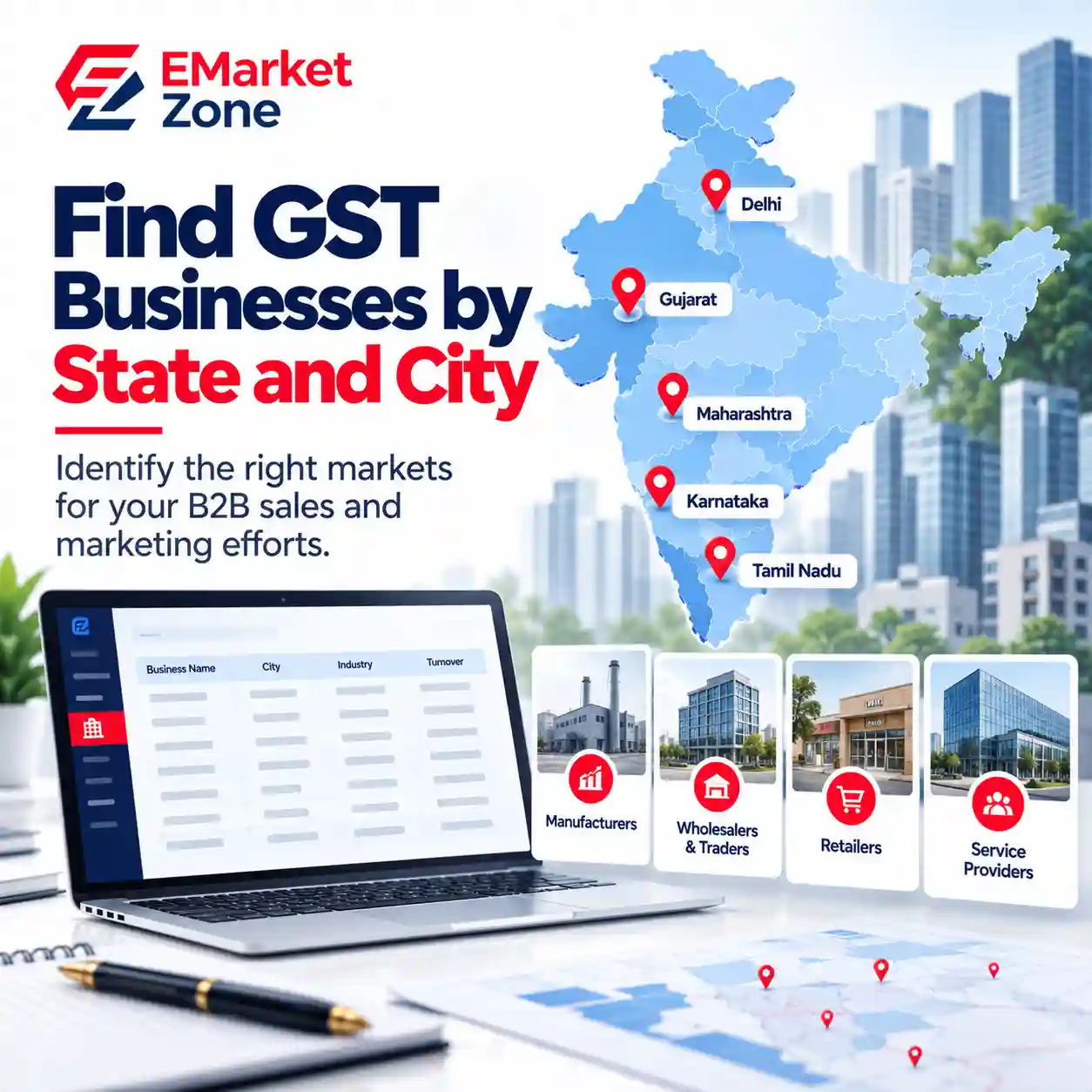
Finding businesses that match your target market is one of the most important steps in B2B lead generation. However, contacting businesses across the entire country without a clear targeting strategy can make sales and marketing efforts difficult to manage.
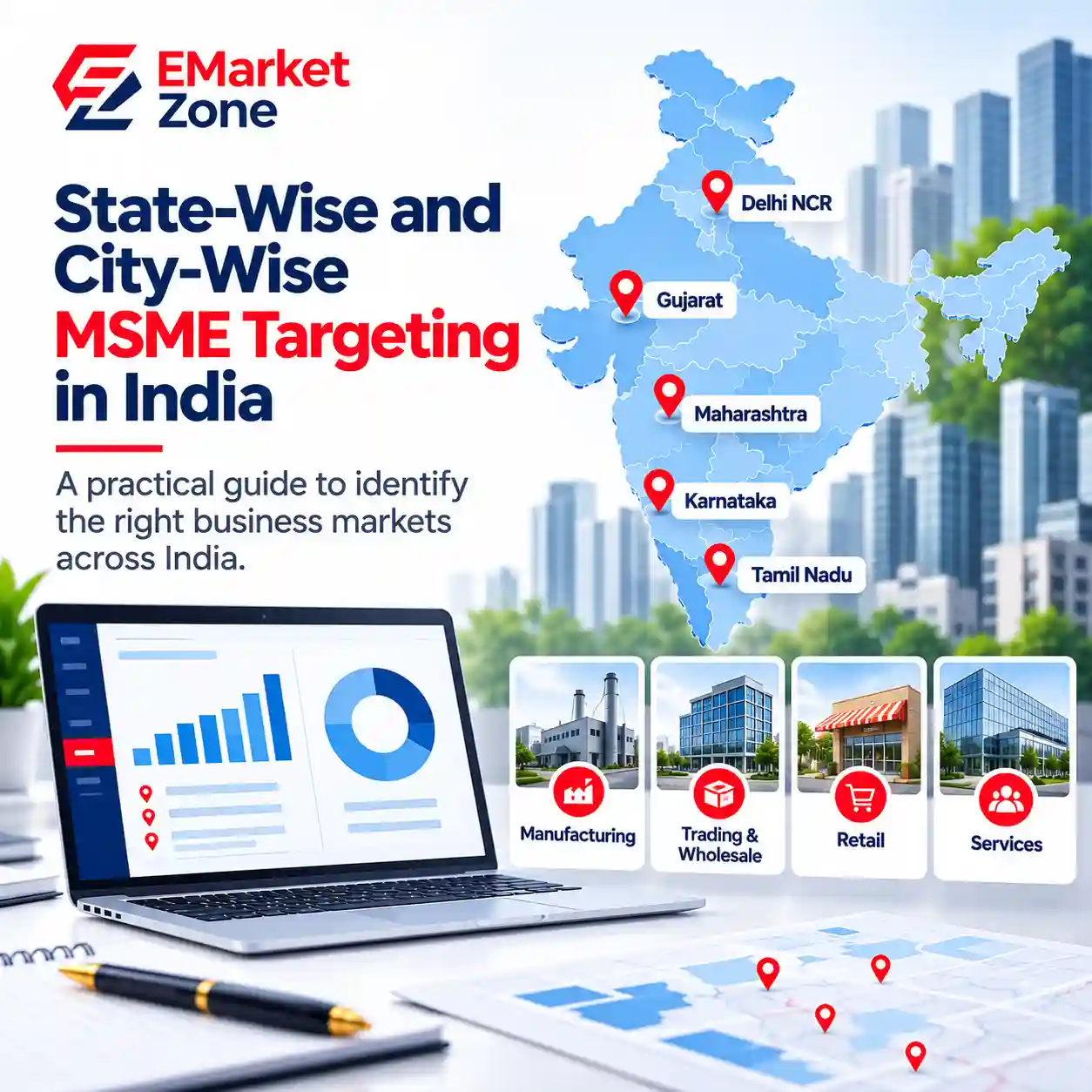
State-wise and city-wise GST data can help businesses organise their prospecting efforts around specific geographic markets. Instead of starting with an unrestricted list of businesses, companies can narrow their research by state, city and relevant business category before assessing which prospects fit their products or services.
This guide explains how to use geographic GST business data for market research, sales prospecting and B2B lead generation in India.
What Is State-wise GST Data?
State-wise GST data refers to business or registration-related information organised by state. Depending on the source, it may include GSTINs, business names, locations, registration information and other available business fields.
For B2B prospecting, state-level segmentation helps companies identify businesses within the regions they want to serve.
For example, an industrial equipment supplier expanding into Gujarat may want to research relevant businesses in that state before exploring additional markets. Similarly, a business services provider may begin with Maharashtra or Karnataka to focus its sales activity on selected regions.
State-wise data can help organise this research, but the number of registered taxpayers in a state does not automatically indicate demand for a particular product. The target industry, business requirements, competition and service coverage also matter.
Businesses looking for geographically organised information can explore EMarket Zone’s state-wise GST business lists.
What Is City-wise GST Data?
City-wise GST data organises available business information by city or locality, depending on the source and its coverage.
While state-level targeting helps define a broad market, city-level targeting allows businesses to narrow their research further. This can be useful when a sales team serves specific commercial centres, industrial areas or regional markets.
For example, a company targeting manufacturing businesses in Maharashtra might begin with the state and then focus on selected cities based on its ideal customer profile and operational capacity.
City-level segmentation can help businesses:
• Focus on markets within their service area.
• Organise prospecting by sales territory.
• Research businesses in selected commercial centres.
• Prioritise locations for sales visits or regional campaigns.
• Compare potential markets before expanding.
The accuracy of city-level targeting depends on the location fields available and how consistently they are maintained. A listed business address should not automatically be interpreted as the location of every branch, facility or decision-maker.
Explore EMarket Zone’s city-wise GST business lists to review the available geographic options.
State-wise vs City-wise GST Data: Which Should You Choose?
The right level of geographic detail depends on the size of your target market and how your sales operation works.
| Factor | State-wise data | City-wise data |
|---|---|---|
| Geographic scope | Broad regional coverage | More focused local coverage |
| Best suited for | Market expansion and regional prospecting | Local targeting and territory planning |
| Sales approach | Regional campaigns and distributed sales teams | City-focused outreach and local sales activity |
| Main advantage | Helps compare and prioritise states | Helps narrow research to selected cities |
| Key consideration | A state can contain very different markets | City and address coverage may vary by source |
A practical approach is to start broad and then narrow down. Use state-level research to shortlist promising regions, then use city-level information to focus on the locations most relevant to your business.
If your target market is nationwide, a national GST business list may be a more suitable starting point. You can then organise your prospecting by state and city, where the required fields are available.
How to Use State-wise and City-wise GST Data for B2B Lead Generation
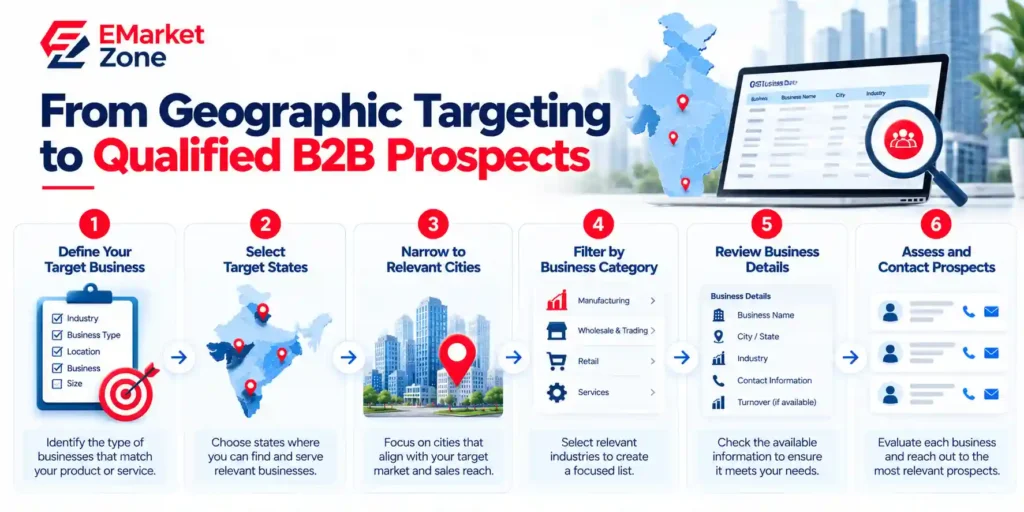
Geographic data is most useful when it is part of a structured prospecting process. The following steps can help you move from a broad business universe to a more relevant list of potential customers.
Step 1: Define Your Ideal Customer Profile
Before selecting a state or city, determine which types of businesses are most likely to need your product or service.
Your ideal customer profile (ICP) may include:
• Industry or business category
• Business size or operating requirements
• Geographic service area
• Relevant business characteristics
• Likely need for your product or service
For example, a supplier of commercial refrigeration equipment may focus on food-processing companies, cold-storage operators or other relevant businesses rather than every GST-registered taxpayer in a region.
The more clearly you define your target customer, the easier it becomes to assess whether a geographic business list is suitable for your campaign.
Step 2: Shortlist Target States
Once your ICP is defined, select states where your business can realistically find and serve potential customers.
Consider factors such as existing customer locations, delivery coverage, sales capacity, industry concentration and market-entry costs.
You can also use published GST registration statistics to understand reported registration trends. However, registration totals are only one research input. They do not directly measure product demand, purchasing power or the number of businesses that fit your ICP.
Choose a manageable set of states to investigate rather than assuming that the state with the highest registration count will necessarily produce the best leads.
Step 3: Narrow the Research to Relevant Cities
After selecting states, identify cities that align with your target market and operational capabilities.
For instance, a business targeting industrial suppliers may prioritise locations with relevant commercial or industrial activity. A provider of local business services may instead focus on cities within its practical service radius.
Use city-level records to organise research and prospecting, but check the available address information before assigning businesses to sales territories.
Step 4: Filter by Business Category
Geographic relevance alone does not make a business a suitable prospect. The business must also match the type of customer you want to reach.
Where reliable business-category information is available, use it to narrow the list to relevant industries or business types.
Examples include:
• Manufacturers for industrial machinery suppliers
• Retailers for point-of-sale solution providers
• Wholesalers and distributors for logistics or supply-chain services
• Professional firms for business software and consulting services
• Commercial establishments for facility-management services
These are illustrative examples. The appropriate categories depend on your offering and the quality of the classification fields in the source data.
Step 5: Review the Available Business Fields
Before using a list for outreach, check whether it contains the information your team actually needs.
Depending on the source, relevant fields may include business name, GSTIN, address, industry, registration-related details and contact information where available.
Do not assume that every record includes a phone number, email address, current registration status or a decision-maker’s details. Confirm the product specifications and source methodology first.
For individual taxpayer checks, the official GST Portal provides a Search Taxpayer facility. You can refer to the GST Portal’s taxpayer search guide for the official process.
Step 6: Qualify Prospects Before Outreach
A GST registration is not proof that a business needs your product, has a current budget or is ready to purchase.
Before treating a record as a sales lead, assess its relevance against your ICP. Check the available business details, review the contact information and determine whether your product or service is appropriate for that business.
Your qualification process may consider:
• Industry and business relevance
• Geographic and service-area fit
• Available evidence of business activity
• Completeness and freshness of contact information
• Potential use case for your offering
• Applicable data-use and outreach requirements
This step helps distinguish a broad list of businesses from a more focused set of prospects worth contacting.
Example: Building a Geographic B2B Prospecting Plan
Consider a company selling business software to small and medium-sized enterprises. It wants to expand beyond its existing market but has limited sales capacity.
Rather than launching a nationwide campaign immediately, the company could follow this process:
1. Define the target: Identify business categories and operating characteristics that fit the software.
2. Select states: Shortlist regions based on service coverage, existing customers and market research.
3. Choose cities: Focus on selected locations within those states.
4. Filter businesses: Use available business-category and registration-related fields to narrow the research list.
5. Review records: Check the fields required for prospecting and identify missing or outdated information.
6. Qualify and contact: Assess each prospect’s relevance, then use appropriate outreach methods and record the results.
This process does not guarantee conversions. Its purpose is to make prospecting more structured, measurable and aligned with the company’s target market.
How to Measure Whether Geographic Targeting Is Working
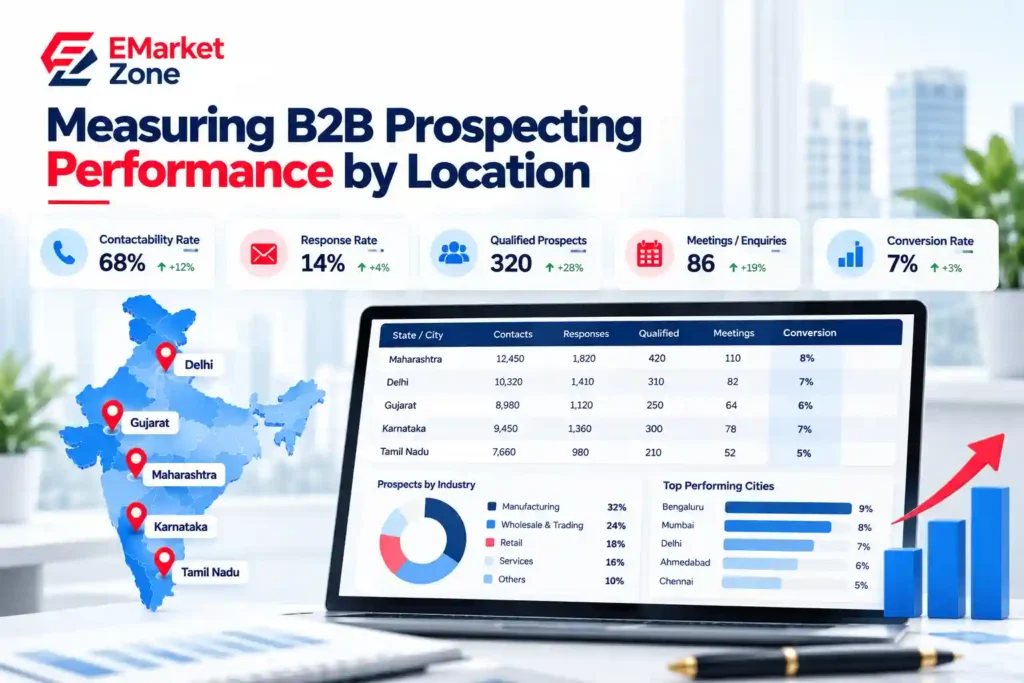
The effectiveness of state-wise and city-wise prospecting should be evaluated using sales and marketing outcomes—not simply the number of records in a list.
Track performance separately by state, city, business category and campaign where practical.
Useful metrics include:
Contactability rate: The proportion of attempted contacts that reach a valid business contact.
Response rate: The proportion of contacted prospects who respond.
Qualified prospect rate: The proportion of researched or contacted businesses that meet your qualification criteria.
Meeting or enquiry rate: The proportion of prospects who progress to a meaningful sales conversation or enquiry.
Conversion rate: The proportion of qualified prospects who become customers.
Cost per qualified prospect: The cost of research and outreach divided by the number of qualified prospects generated.
Use these results to decide whether to expand a campaign, refine its targeting or prioritise a different market. A city producing fewer responses may still be valuable if the resulting prospects are more relevant and have a higher conversion rate.
Common Mistakes to Avoid
Targeting every business in a state
A large list is not necessarily a relevant list. Define your ICP before selecting geographic coverage.
Assuming registration counts equal market demand
GST registration statistics describe registration-related activity under a particular methodology. They do not establish demand for your offering or identify qualified buyers.
Treating every record as a unique company
A business may have multiple GST registrations. Record counts should not automatically be interpreted as counts of unique businesses.
Ignoring data freshness
Addresses, registration status and contact information can change. Check the source’s update period and validate important details before outreach.
Expecting every record to contain contact details
Contact fields vary by source. Confirm which fields are included rather than assuming all GST-related information is available in one place.
Launching outreach without qualification
Geographic and industry filters help narrow the research universe, but additional checks are needed before a business should be treated as a sales prospect.
Where to Find State-wise and City-wise GST Business Data
Businesses researching geographic markets can begin with the level of coverage that best fits their requirements:
• State-wise GST business lists: For researching and organising businesses by state.
• City-wise GST business lists: For more focused geographic prospecting.
• GST Database India: For exploring national-level business data options.
• Newly Registered GST Business Data India: For businesses specifically researching recently registered prospects.
Review the stated coverage, included fields, registration period where relevant, and data-use terms before choosing a list. Availability of specific contact fields or geographic granularity should be confirmed from the relevant product details.
For additional context on registration trends, read EMarket Zone’s research report on new GST registrations in India.
Frequently Asked Questions
What is state-wise GST data used for?
State-wise GST data can support geographic market research, regional prospecting and business segmentation. Its usefulness depends on the available fields and how well the records match the target market.
What is the difference between state-wise and city-wise GST data?
State-wise data groups available business information by state, while city-wise data narrows it to cities or other defined localities. State-level targeting supports broader market planning; city-level targeting can support more focused prospecting.
Can GST data help with B2B lead generation?
It can help businesses identify and organise potential prospects by geography and available business characteristics. Additional qualification is necessary because a GST registration alone does not prove that a business is a suitable buyer.
Does GST data include business contact information?
Not necessarily. Available fields vary by source and product. Check the stated specifications to determine whether phone numbers, email addresses and other contact fields are included.
Should I choose a national, state-wise or city-wise business list?
Choose according to your sales territory and research needs. National coverage may suit broad market research, state-wise coverage may suit regional expansion, and city-wise coverage may suit focused local prospecting. You can also combine these levels in a staged research process.
How can I check GST registration details?
Use the official GST Portal and its Search Taxpayer functionality to look up a GSTIN or UIN and review the available taxpayer information.
Conclusion
State-wise and city-wise GST data can help businesses structure B2B prospecting around the markets they want to serve. Starting with an ideal customer profile, selecting suitable states, narrowing the research to cities and filtering by relevant business categories creates a more focused process than approaching every business in a broad list.
The next step is to review record quality, qualify prospects and measure actual outreach outcomes. Geographic business data is a tool for organising research—not a guarantee of customer demand or sales conversions.
To choose the right starting point, compare EMarket Zone’s state-wise, city-wise and national GST business list options based on the geography, business fields and prospecting requirements relevant to your campaign.
Leave a comment